How to create a trading bot for Pocket Option without code — using AI in Spectra Charts
A step-by-step guide: build a trading bot without code using AI. Copy the ready-made “AI Prompt” in Spectra Charts (even the free DeepSeek works), describe your strategy, and get a working signal bot with a HUD analytics panel.
Contents
In this guide we’ll show the simplest way to build your own bot for the new Po-Signals format — no coding required. The whole idea fits into one button: the terminal hands you the correct prompt, and all the AI has to do is write the logic for your strategy.
What you’ll need
Just two things:
- Access to the Spectra Charts trading terminal.
- Any neural network. Even the free DeepSeek works — that’s what we’ll use here.
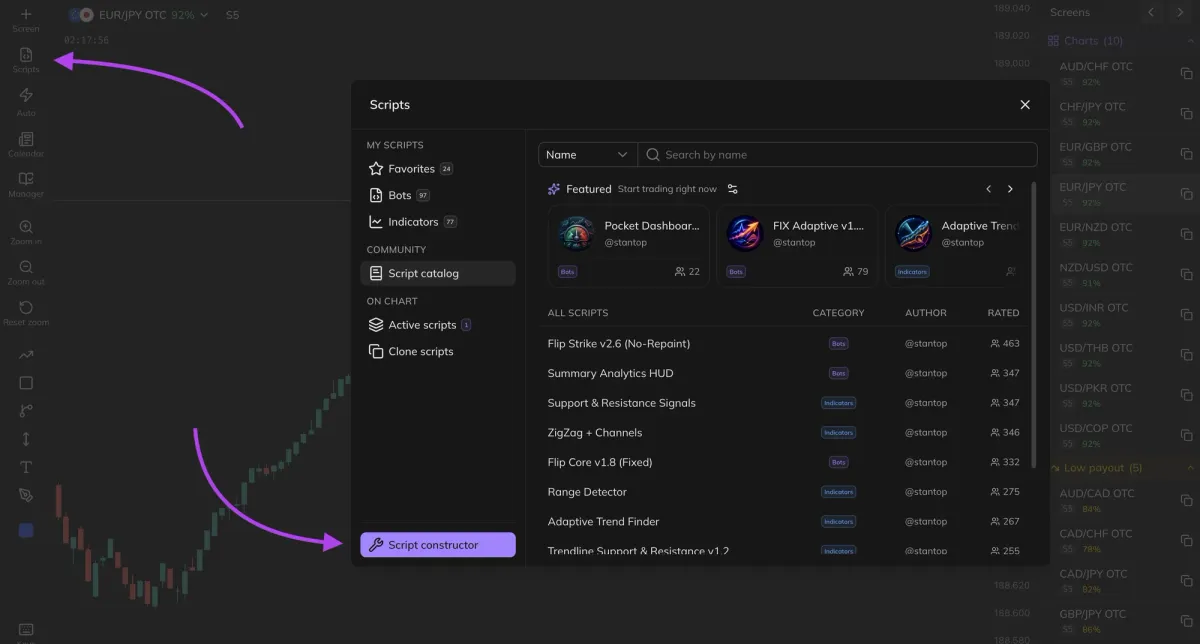
Step 1. Open script creation
Go to the trading terminal — po-signals.com/app/charts — and open the menu Scripts → Create Script.
A new script editor window will open.
Step 2. Copy the “AI Prompt”
At the top of the editor window, click the “AI Prompt” button.
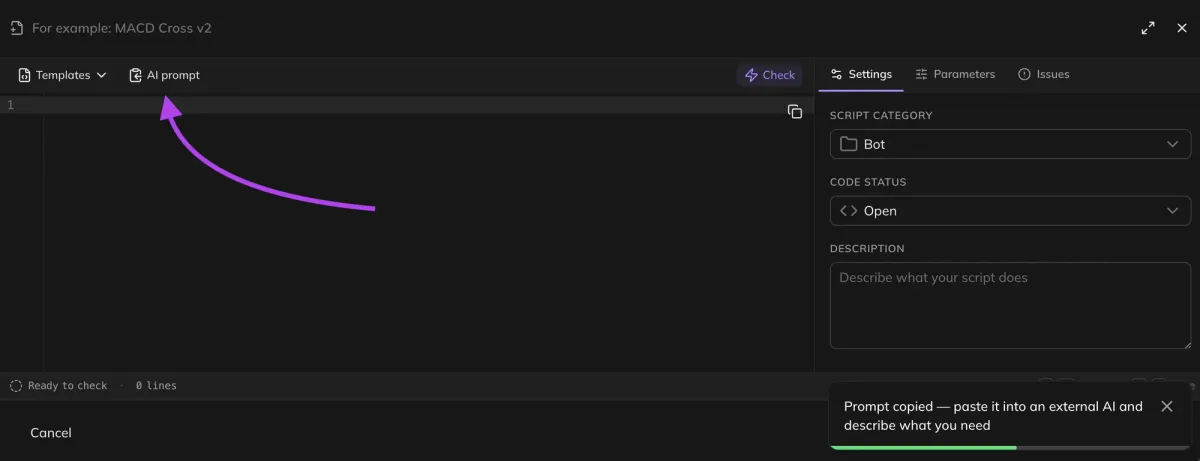
An extensive, carefully crafted prompt is automatically copied to your device’s clipboard — with all the rules for writing trading tools correctly for the terminal’s format.
Learn for free
Step 3. Prepare the neural network
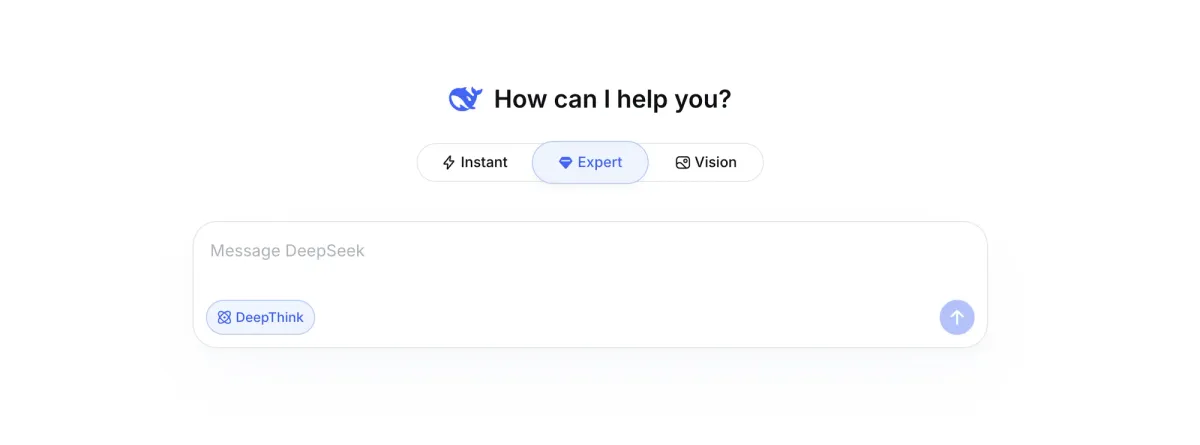
Paste the copied prompt into the AI. In DeepSeek, make sure to enable two modes:
“Expert” mode
Responsible for the quality and cleanliness of the code.
“Deep Thinking”
The model works through the logic more carefully and makes fewer mistakes.
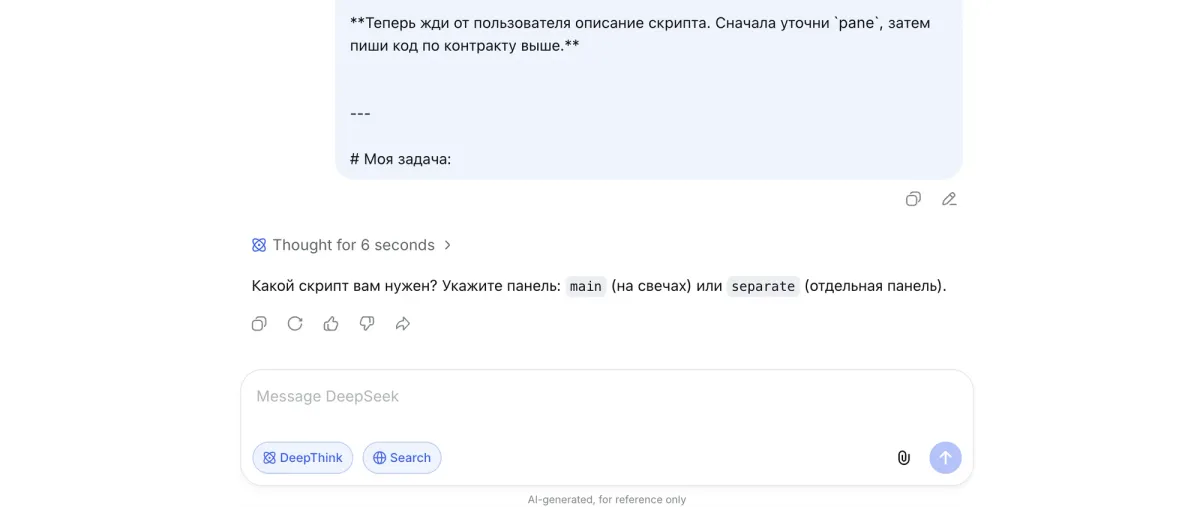
Once the prompt is accepted, the model will reply: “Which script do you need? Specify the panel: main (on candles) or separate (a separate panel).”
- main — classic views: signals and indicators on top of the chart.
- separate — the lower oscillator panel, where MACD, OSMA, and others are shown.
Step 4. Describe the task
After the “My task:” line, describe the logic of your strategy in your own words — what we look at and where, and the exact moment we issue a signal.
If you’re building a signal bot and want analytics right on the chart, specify separately that you need a HUD panel. It lets you judge a strategy’s effectiveness at a glance:
- overall WR (Win Rate — the share of profitable trades), with and without martingale steps;
- how many wins and how many losses;
- per-trade statistics up to the 8th martingale step;
- which attempt (which step) closed the series;
- a compact, tidy design with day/night theme support.
Example of a ready prompt
Tweak it for yourself — replace the strategy at the top with your own:
Создай торговый бот с сигналами BUY/SELL.
BUY: линия MACD пересекает сигнальную линию снизу вверх.
SELL: линия MACD пересекает сигнальную линию сверху вниз.

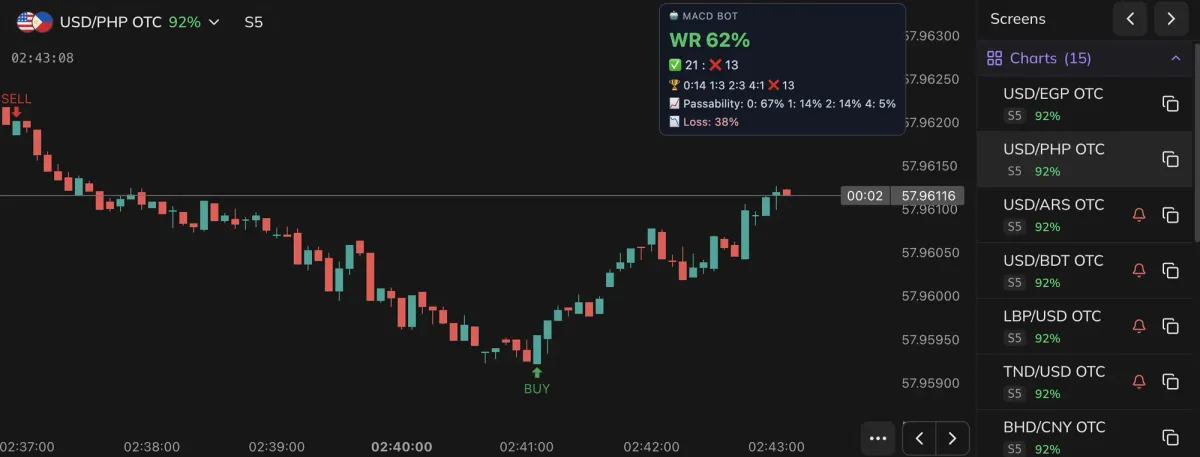
Также сделай HUD-карточку для бота (винрейт + догоны).
Собери аккуратную компактную HUD-карточку через `export const hud` (DOM, не Canvas)
с адаптивной темой день/ночь — читаемую и на светлом, и на тёмном фоне.
Все размеры в `em`; `css` — функция `(p, env)` с двумя палитрами через `env.isDark`.

Что показывать (сверху вниз):
1. Шапка: эмодзи режима + короткое название бота капсом.
2. Крупно — общий винрейт «WR NN%» (зелёный при перевесе побед, красный при перевесе минусов).
3. Строка итога: ✅ побед : ❌ минусов.
4. Бейджи-чипы 🏆 — разбивка побед по догонам (шаг:количество, напр. «1:12 2:4 3:2»).
5. (если есть) бейджи-чипы 📈 — проценты по фазам + LOSS %.

Поведение:
- Пока нет завершённых сделок — строка «📚 Нет завершённых сделок».
- Если винрейт ниже порога тревоги — карточка переходит в красный alert-вид.

Цель — за секунду оценить эффективность: общий WR, баланс ✅/❌ и где именно
догоны вытягивают серию. Стиль строгий и компактный, без лишнего.
Create a trading bot with BUY/SELL signals.
BUY: the MACD line crosses the signal line from below to above.
SELL: the MACD line crosses the signal line from above to below.

Also build a HUD card for the bot (win rate + martingale steps).
Build a neat, compact HUD card via `export const hud` (DOM, not Canvas)
with an adaptive day/night theme — readable on both light and dark backgrounds.
All sizes in `em`; `css` is a function `(p, env)` with two palettes via `env.isDark`.

What to show (top to bottom):
1. Header: mode emoji + a short bot name in CAPS.
2. Large — overall win rate “WR NN%” (green when wins lead, red when losses lead).
3. Totals line: ✅ wins : ❌ losses.
4. 🏆 chip badges — wins broken down by martingale step (step:count, e.g. “1:12 2:4 3:2”).
5. (if any) 📈 chip badges — percentages by phase + LOSS %.

Behavior:
- While there are no completed trades — show the line “📚 No completed trades”.
- If the win rate drops below the alert threshold — the card switches to a red alert state.

Goal — judge effectiveness in a second: overall WR, the ✅/❌ balance, and exactly
where the martingale steps carry the series. Style strict and compact, nothing extra.
Send the request — the AI will reply with ready code for a working tool.
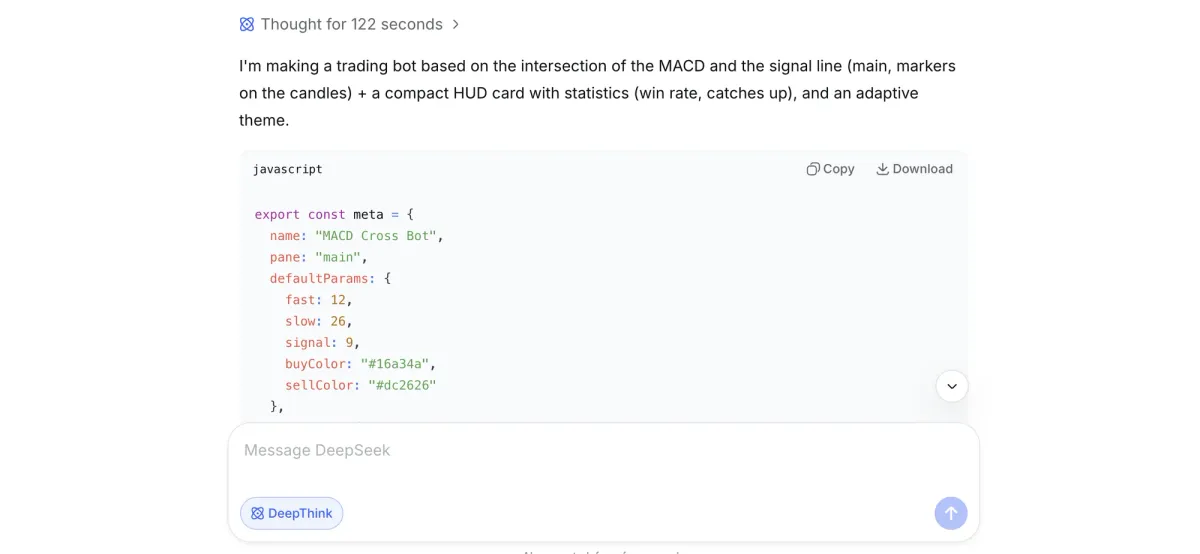
Step 5. Check and create the script
Copy the resulting code in full and paste it back into the script editor on the site.
Click “Check”
The terminal will quickly validate the code. If the right-hand panel shows no errors — move on.
Click “Create Script”
The tool appears on the chart: a signal bot comes with BUY/SELL labels and a HUD panel.
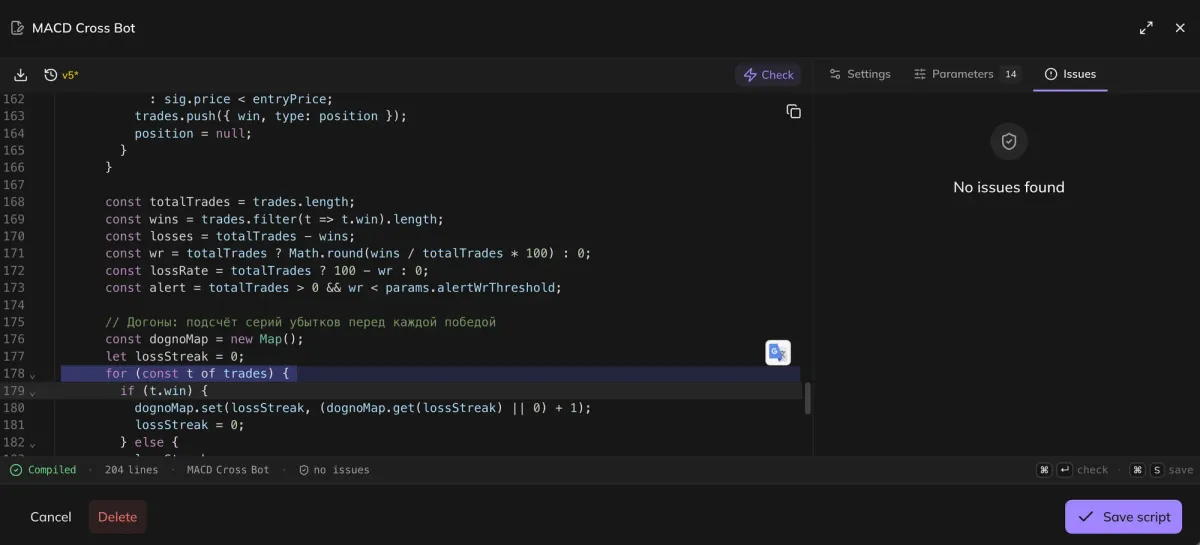
When you create the script, the terminal will ask you to add a comment — what changes you made to the code or which errors you fixed.
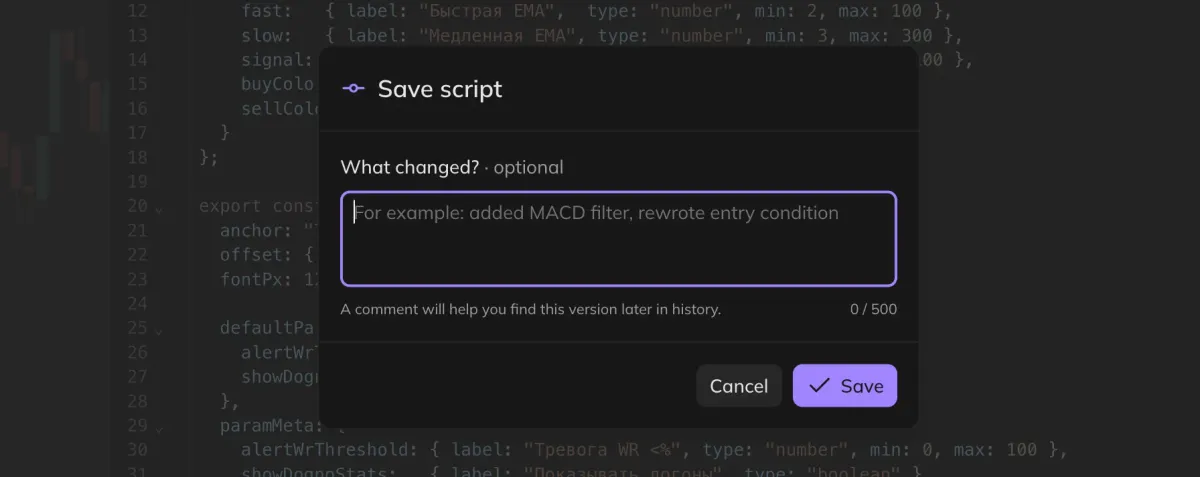
Describe it in your own words: it will help you roll back to a previous version of the script if needed. We keep the last 50 versions of script changes.
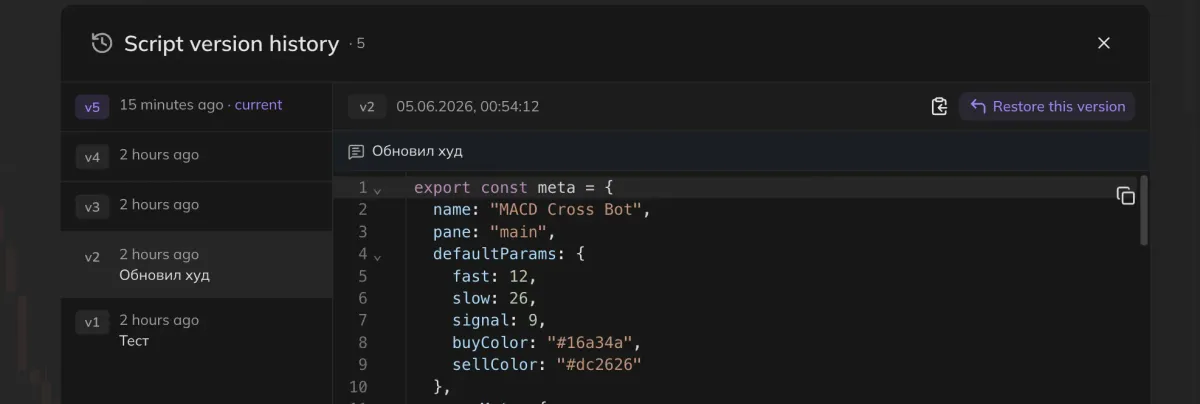
That’s it — the tool is created and runs right on the chart. Here’s an example of a finished script in the trading terminal:
Useful habits
A few rules that will save you time and nerves.
Ask the AI to redo it and describe your wishes in as much detail as possible: what to remove, what to add, which colors and sizes. The more specific the request — the more accurate the result.
Remind the model to follow the script-writing rules from the first prompt — the very one you copied with the “AI Prompt” button. Models tend to “forget” the rules over a long conversation.
Always start a new chat. There are two reasons:
- The old chat accumulates context from the previous strategy — the new code may turn out incorrect.
- If you later need to fix that earlier strategy specifically, it’s easier to return to its own separate chat.
A parting word
The real value of the new format is that the barrier to entry is gone: you don’t need to know how to program, you just need to state your idea clearly. The terminal provides the correct prompt, the AI provides the code, and you stay where you belong — in the strategist’s seat, the one who comes up with the approach and tests it.
Don’t be afraid to experiment: change the conditions, add filters, rewrite the card to suit you. The more iterations — the more precisely the tool fits your trading style.
And the one rule that never changes: demo first. Run the bot, gather WR statistics, see which martingale steps keep the series alive — and only then connect it to real money. Discipline and testing matter more than any code, no matter how pretty.